Blog
4K Isn’t 4K: What Security Camera Resolution Actually Means
Jun
If you’ve shopped for a security camera in the last few years, you’ve seen the same sticker on every other box: 4K Ultra HD. It’s become the default headline spec. It’s also the most misunderstood number in the category — and the one most likely to disappoint when you actually pull up the footage.
This post walks through what camera resolution actually is, the specs that matter more than the marketing megapixels, and how to figure out what resolution you actually need before you spend money on a number that doesn’t translate to the image quality you were picturing.
What “4K” actually means (and where the label gets stretched)
In a TV or monitor, “4K” has a clean definition: roughly 3840 × 2160 pixels, or about 8.3 million pixels per frame. That’s the same baseline a “4K” security camera is supposed to deliver.
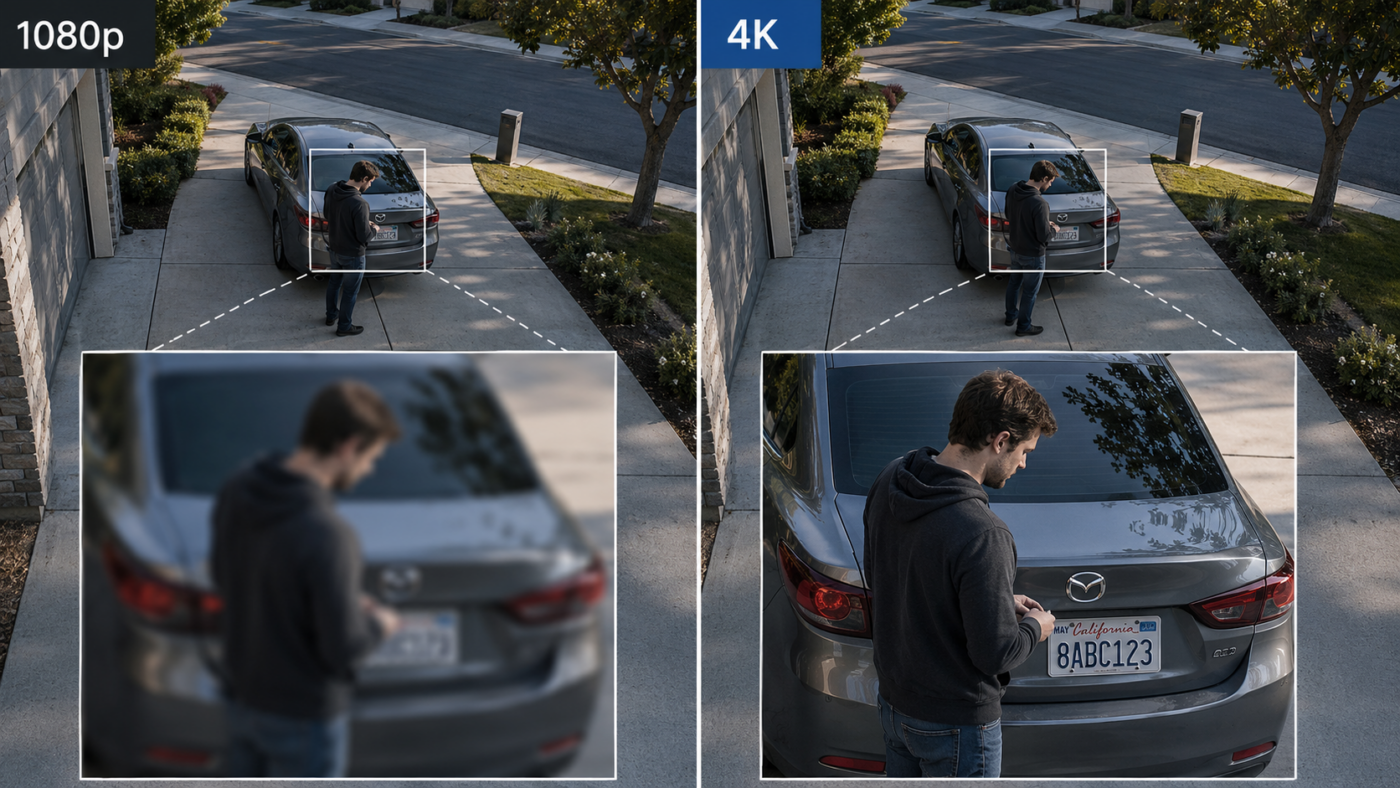
In the camera category, “4K” gets used more loosely. You’ll see boxes labeled 4K that record at lower internal resolutions and upscale, cameras that capture 4K stills but stream at 1080p, and cameras that hit 4K on paper but compress so aggressively that the image is functionally indistinguishable from 1080p once it’s encoded.
The number on the box tells you the ceiling. It doesn’t tell you what’s actually being recorded, transmitted, and stored when you press play three weeks later.
Megapixels — what the number actually buys you
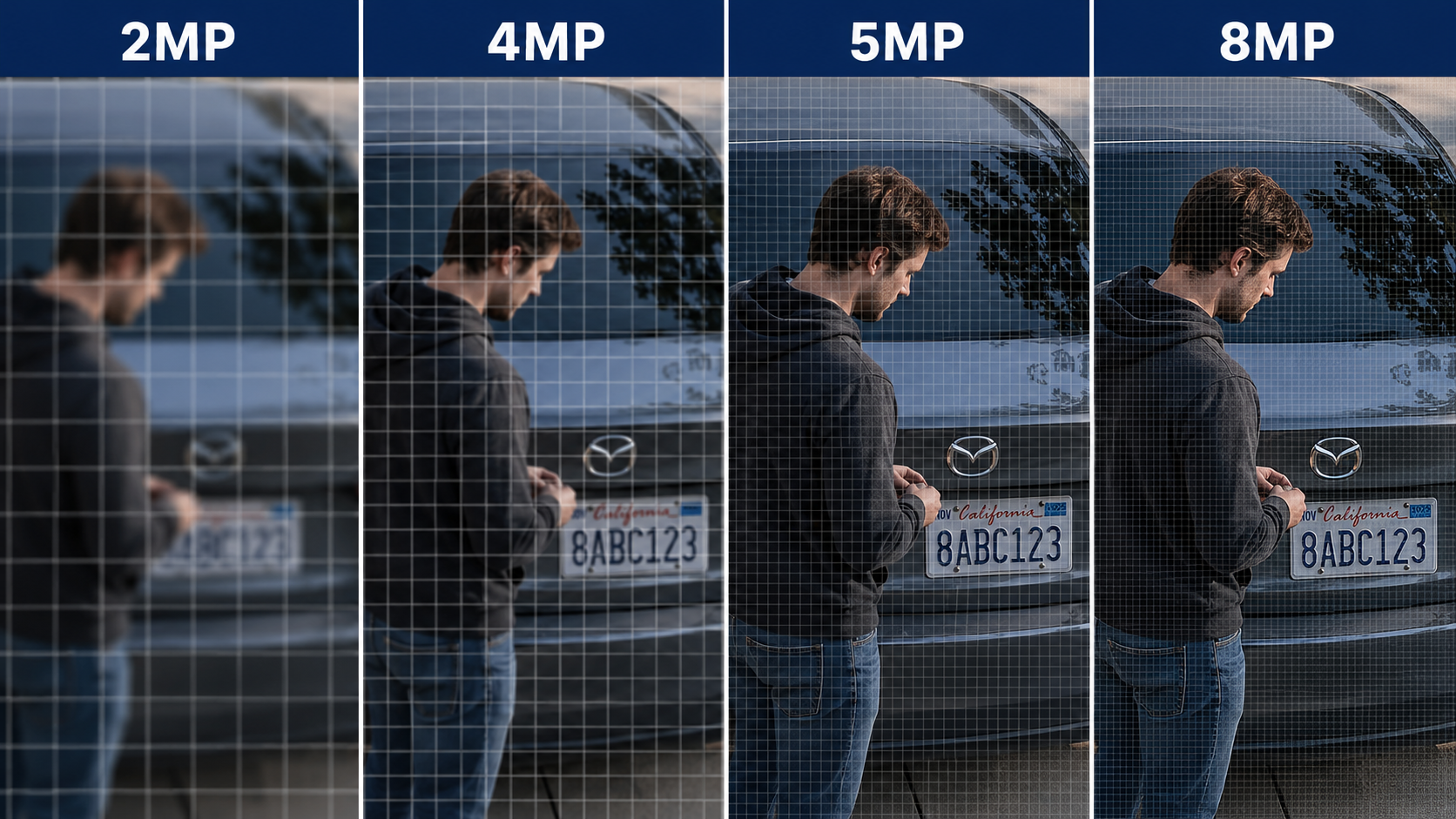
Resolution gets clearer if you stop thinking about it in TV terms and start thinking in megapixels. Every doubling of megapixels gives you roughly twice the detail across the same scene.
HD
2 MP
1080p
~2.1M pixels
QHD
4 MP
1440p
~4.0M pixels
5MP
5 MP
1944p
~5.0M pixels
4K
8 MP
2160p
~8.3M pixels
The practical impact: with a 2MP camera, you can usually identify a face within roughly 25–35 feet of the camera. With 8MP, that recognizable-face distance roughly doubles. When you zoom into a recording after the fact — to read a license plate, a logo, or a face — that pixel count is what determines whether the zoomed-in image is usable or a blurry mess.
Bitrate — the spec almost nobody puts on the box
Here’s the spec that quietly undoes most “4K” marketing claims: bitrate. Bitrate is how much data the camera uses to encode each second of video. The higher the bitrate, the more detail survives the trip from sensor → recording → playback.
A camera can record at 4K resolution and still produce blurry, blocky footage if the bitrate is too low. Conversely, a 1080p camera running at a generous bitrate often looks visibly better than a “4K” camera running at a tight one, because the lower-resolution footage has more bits-per-pixel to preserve detail.
between a budget cloud camera and a properly-tuned 4K self-hosted camera at the same resolution.
For reference, a usable 4K security camera should be running at roughly 8 Mbps or higher per stream. A 1080p camera should be at roughly 4 Mbps. Cloud cameras tend to throttle bitrate aggressively to save on bandwidth and storage costs on their end — and that throttling is invisible to the buyer.
Compression — H.264 vs H.265
The other quiet variable: the codec the camera uses to encode video. Most current cameras use one of two:
- H.264 — the older, widely-supported standard. Works everywhere, but produces larger files for the same image quality.
- H.265 (HEVC) — the newer standard. Roughly half the file size of H.264 at the same image quality, which means longer recording windows on the same storage. Almost all current GW Security cameras and NVRs support H.265.
Practical impact: a camera with H.265 lets you keep more days of footage on the same SD card or NVR drive. The image quality at a given bitrate is comparable to H.264, but the storage efficiency is roughly double.
Lens quality — the spec you can’t fake in software
The last piece, and the one most often ignored, is the lens. A cheap lens on a high-resolution sensor produces a high-resolution image of a slightly blurry world. There’s no firmware update that fixes a soft lens.
The specs worth paying attention to on the lens:
- Focal length (e.g., 2.8mm, 4mm, 6mm, 12mm). Lower numbers = wider field of view, less zoom. Higher numbers = narrower field of view, more reach.
- Aperture (the f-number, like f/1.6 or f/2.0). Lower f-numbers let in more light — which translates directly to better low-light and night performance.
- Whether it’s a fixed lens or a varifocal/motorized lens. Varifocal lets you adjust the field of view after installation; fixed is set in stone.
What resolution should you actually buy?
| Use Case | Recommended Resolution |
|---|---|
| Doorbell or entryway monitoring (close-range) | 2MP (1080p) is usually enough — the camera is close to the subject, so detail is already high per-foot. |
| Small business interior, retail floor, office | 4MP–5MP. Lets you zoom into specific transactions, faces, or shelf sections after the fact. |
| Driveway, yard, parking lot, license-plate capture | 8MP (4K). The distance is greater, and you’ll often want to zoom into a plate or face from 30–60 feet away. |
| Warehouse, large property, perimeter coverage | 8MP (4K), often combined with PTZ or motorized varifocal cameras for selective zoom. |
| Wide-area surveillance with fewer cameras | 8MP (4K). Higher resolution lets one camera cover what two lower-resolution cameras used to. |
The honest answer for most homeowners and small business owners: 8MP (4K) cameras for outdoor coverage, 4MP for indoor. The price gap between 4K and 1080p has shrunk so much in the past few years that there’s rarely a good reason to buy down anymore — unless you’re filling a very specific close-range role like a doorbell, where the extra resolution is wasted.
How to read a camera spec sheet honestly
When you’re comparing cameras, the specs that actually matter (in order):
- Sensor resolution in megapixels — and ideally the sensor’s brand/model so you can look up its real-world reputation.
- Maximum bitrate — should be listed on a reputable spec sheet; if it’s missing, that’s a signal.
- Codec support — H.265 is the modern baseline.
- Lens specs — focal length, aperture, fixed vs varifocal.
- Low-light spec — minimum lux, IR range, color night vision technology if any.
- Then — and only then — does the “4K” label on the front of the box mean what you’d expect it to mean.
If a manufacturer leads with the resolution number and buries the bitrate, codec, lens, and sensor info — or doesn’t publish them at all — that’s usually because the rest of the spec sheet doesn’t hold up to the headline number.
See the full spec sheets on our 4K cameras
Every GW Security 4K camera lists its sensor, bitrate, codec, lens, and low-light specs in full. No mystery numbers — just the spec you’d want to compare against any other brand.
Not sure which resolution fits your property?
Our Help Me Choose tool asks six quick questions about your property and recommends a complete pre-configured system — cameras, NVR, and storage already matched. About 60 seconds. No email signup required.