

Blog
Bugs, Spiders, and Cobwebs: The Summer Problem Every Outdoor Camera Has
Jul
It’s 3:17am. Your phone lights up: motion detected — front porch. You open the app, half-asleep, expecting a person. Instead you see a giant blurry blob of light drifting sideways across the screen, so out of focus it looks like a special effect.
Two minutes later: another alert. Then another. By morning your phone has 34 notifications, none of them anything you needed to know about.
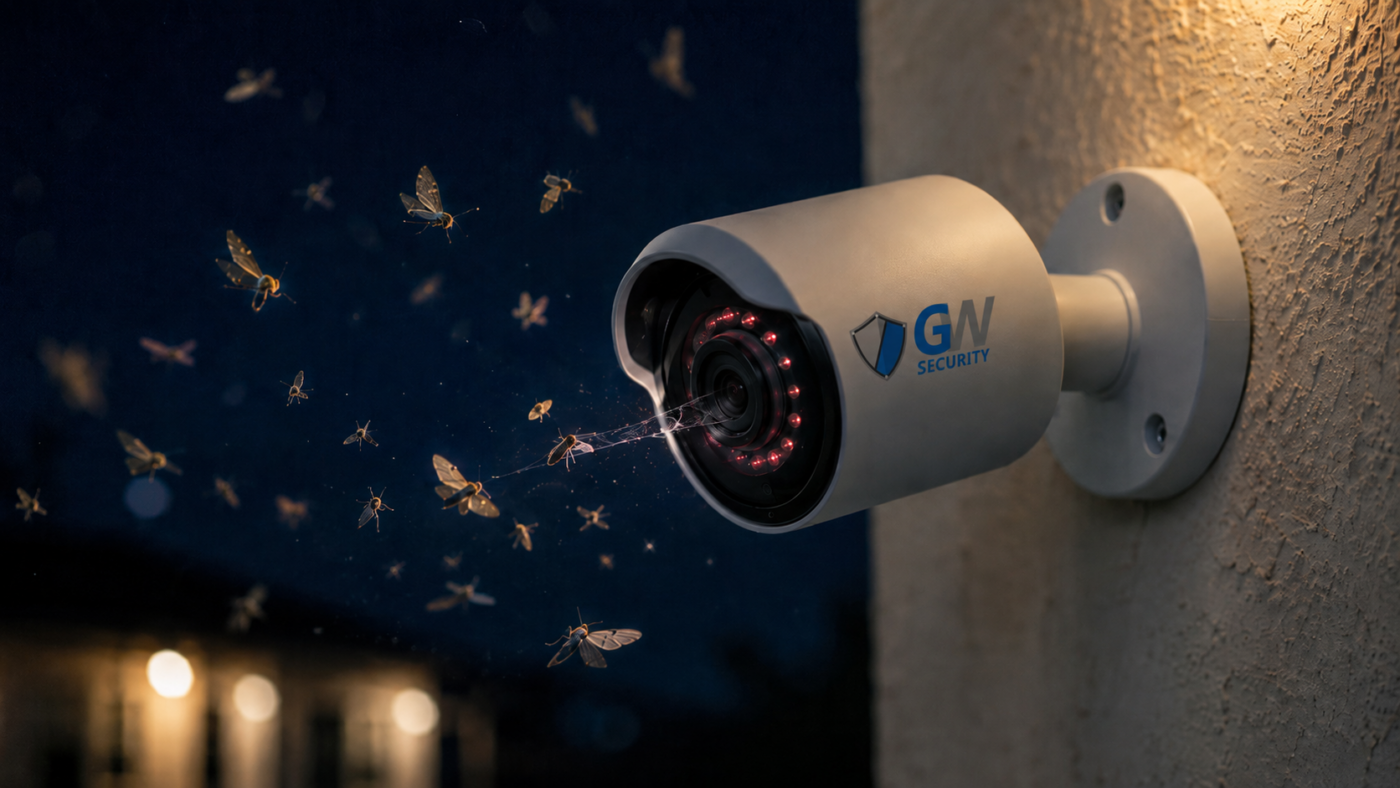
Welcome to summer with an outdoor camera. What you’re seeing isn’t a ghost and it isn’t a broken sensor. It’s a moth. Or a spider. Or the cobweb that spider built directly across your lens last Tuesday. This is the single most common summer complaint we get, and it’s fixable in about fifteen minutes if you know what’s actually happening.
The chain that ruins every outdoor camera in July
It’s not one problem. It’s four problems in a row, and each one causes the next.
1. IR light
Camera turns on infrared at dusk. Bugs can’t see it, but they feel the heat.
2. Bugs
Moths, gnats, and mosquitos gather at the warm lens all night.
3. Spiders
Spiders follow the bugs. Best hunting ground on the whole house.
4. Cobwebs
Web strands drift across the lens. Every gust triggers motion.
By the time you notice, your camera is recording 300 clips a night of nothing, your NVR is chewing through storage, and your phone has learned to ignore the ping. That last part is the real problem: alert fatigue means the one real alert that does come in gets swiped away with the rest.
Why summer specifically
Two things ramp up at once. First, insect activity peaks in July and August — not just population, but nighttime activity. Warm nights mean bugs are up when your IR is on. Second, spiders take advantage: an outdoor camera with a bright IR ring is basically a lit buffet sign, and web-building spiders (orb weavers, especially) rebuild their web every 24–48 hours right where the food is.
The rest of the year, this happens too — just slower. In winter, the same camera might get one cobweb a month. In July, you can get one every three days.
The fix, in order of most-impact-first
Wipe the lens and housing. Then do it again in two weeks.
Microfiber cloth, dry. No paper towels (scratches the lens coating), no window cleaner (attacks the anti-reflective coating), no compressed air on the seals. Just wipe the front glass, the IR ring, and the housing around it. This alone solves 60% of the problem for the next week or so. In summer, put it on the calendar every two weeks — it’s a five-minute job.
Spray bug repellent around the mount — not on the camera.
Peppermint oil sprays work great and won’t damage the finish. Cedar oil is even better for spiders specifically. Spray the wall bracket, the underside of the eaves, the mounting arm — not the housing itself, and never the lens. This creates a small “no-fly zone” that keeps most of the population off the camera in the first place. Reapply after heavy rain.
Turn on human/vehicle detection.
Most modern GW cameras have onboard AI that can classify motion as person, vehicle, or other. Turn it on and set alerts to fire only for person and vehicle. A moth crossing the lens still triggers recording (that’s fine — storage is cheap), but it doesn’t trigger a notification. Overnight your alert count drops from 34 to about 3.
Use motion zones to exclude the halo around the lens.
Nearly every NVR and camera app supports drawing exclusion zones on the frame. Draw a small oval right around the center of the frame where cobwebs and bugs show up as out-of-focus blobs. Motion inside that zone is ignored. This is the single most effective software fix and takes about 90 seconds per camera.
Move the IR source away from the lens.
This is the nuclear option, but it works permanently. Cameras with a built-in IR ring around the lens attract bugs to the lens. If you install a separate IR illuminator six or eight feet away from the camera and turn off the camera’s built-in IR, the bugs go to the illuminator instead. Your camera stays clean and lit up like it’s noon. Best for high-value spots (driveway, back yard) where you’re tired of the cycle.
Wasps under the housing (the other July problem)
Different bug, same theme. Paper wasps love the little sheltered gap between the back of a camera housing and the wall it’s mounted to. It’s dry, warm, protected from wind, and generally undisturbed — ideal nest conditions.
You’ll notice this because your camera image will slowly turn brown. That’s not the lens — that’s wasp mud building up along the housing edges, eventually crawling around to the front. By the time you see it, the nest has been there a while.
Prevention: caulk the mounting gap between the bracket and the wall when you install. If it’s already too late, wait for a cool morning (wasps are sluggish under 55°F), knock the nest down with a broom from a safe distance, wipe the housing clean, then caulk. Do not spray wasp spray directly at the camera — the propellant fogs the lens for weeks.
- WD-40 on the housing. Destroys the rubber gaskets that keep water out. IP66/67 rating means nothing after a spray.
- Glass cleaner on the lens. Ammonia attacks the anti-reflective coating. Long-term you get a hazy image that no wipe fixes.
- Bug spray on the lens itself. DEET is a solvent. It will slowly cloud the front element and can leave a permanent smear.
- Pressure washer. Cameras are “weatherproof,” not “pressure-proof.” A 1500 PSI stream will drive water past every seal.
How to tell if it’s bugs vs a real problem
Cobweb / bug motion has a look. Once you’ve seen it, you’ll recognize it instantly on every future clip.
- Out of focus. Anything closer than about 12 inches from the lens is unfocusable. If you can’t tell what it is because it’s a big blurry glow, that’s the giveaway.
- Drifts, not walks. Cobweb strands and slow-flying bugs move with air, not with intent. Real intruders move in straight lines toward or away from the camera.
- Same location every clip. A bug flies through and it’s over. A cobweb is stuck — every gust of wind you see the same shape in the same spot. That’s your cue to grab the microfiber.
- Only after dark. Almost always. If it stops as soon as the IR turns off in the morning, that’s the IR-attraction chain in action.
The five-minute monthly routine
The whole cycle above — wipe the lens, check for webs, spray the mount, look for wasp mud — takes about five minutes per camera. Put it on the calendar for the first Saturday of every month, June through September. If you have four outdoor cameras, that’s twenty minutes a month to keep your alert quality genuinely useful.
Nine cameras out of ten don’t need a hardware fix — they need a wipe and a motion zone. If you’re still swimming in false alerts after all five fixes above, that’s when it’s worth calling in.
Still getting phantom alerts after cleaning?
Our U.S.-based tech support can walk you through motion-zone setup and AI detection on any GW system. Two-option menu, short hold, a real human at the end.
Or if you’re shopping for a replacement setup and want to skip the IR-magnet problem entirely, take our Help Me Choose quiz — six questions, 60 seconds, and we’ll match you to starlight or full-color cameras that don’t need IR at all.
Find a camera setup built for your yard
Starlight, full-color night, and AI-detection systems. Six questions, 60 seconds. No email required.
